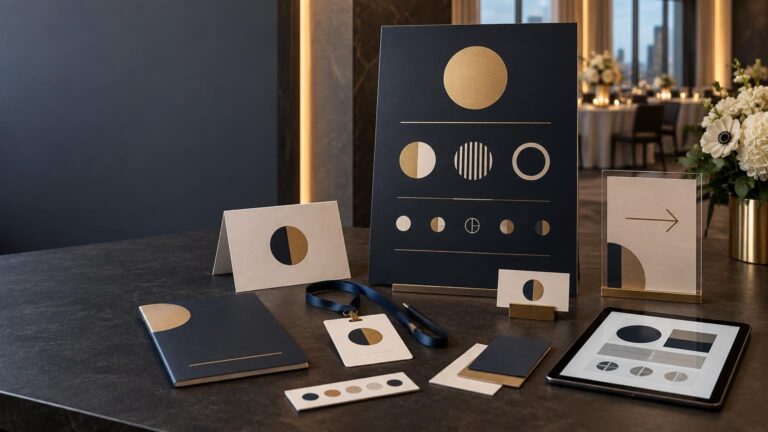
A strong trade show booth print kit works at three distances. The backdrop earns attention from the aisle, table graphics organize the approach, and handouts, stickers, sample labels and follow-up cards reward a closer look. Design those pieces as one visual system, but do not ask every item to carry the same amount of information.
TLDR: Build the booth in layers
- Use the backdrop for your identity, one concise message and a clear visual focal point.
- Reserve detailed claims, specifications and contact information for close-range pieces.
- Prepare handouts for fast scanning rather than reproducing a complete sales presentation.
- Give stickers and sample labels a defined job: demonstration, identification, packaging or memorable takeaway.
- Put the same focused call to action on QR follow-up cards and the page they open.
- Proof every asset at final size, then pack, label and count it for setup and replenishment.
Start with an asset map, not a shopping list
Separate the kit by viewing distance and guest action. EXHIBITOR distinguishes mid-range graphics, commonly viewed from about 10–50 feet, from short-range graphics read at roughly 1–10 feet. That makes the main booth identity a different design problem from samples and handouts. EXHIBITOR’s booth graphics guidance also treats detailed information as a close-range job.
| Asset | Primary job | Keep prominent |
|---|---|---|
| Backdrop or wall graphic | Stop and orient aisle traffic | Brand, short message, focal image |
| Table cover or counter graphic | Identify the booth when the wall is blocked | Logo or short identifier |
| Handout | Support a conversation | Benefits, proof points, next step |
| Sticker or sample label | Create a useful takeaway or demonstrate print | Recognizable mark and relevant details |
| Follow-up card | Move the visitor to one action | QR code, short URL and context |
| Storage and replenishment kit | Keep the booth functional | Counts, labels and setup instructions |
This hierarchy prevents the classic crowded-booth problem: a wall designed like a brochure and a handout that adds nothing new. Repeat color, type, logo treatment and image style for cohesion, but adjust information density to the job of each piece.
Backdrop and large-format graphics
Keep the aisle-facing message sparse and high contrast. A visitor should be able to identify who the booth is for and why it deserves a pause without standing still to read a paragraph. Place essential copy where furniture, staff and visitors are unlikely to block it, and inspect the artwork at its intended physical size rather than judging only from a laptop screen.
Before designing to a display size, open the event’s Exhibitor Service Manual. Height limits, hanging signs, installation rules, electrical ordering, delivery procedures and move-in windows vary by show. Freeman advises exhibitors to review that manual early because available services and instructions are event-specific. Freeman’s exhibitor guide is a useful planning reference, but the manual for your particular show controls the booth plan.
- Confirm the purchased or rented display’s exact visible area and template.
- Keep logos and critical copy away from seams, hems, pole pockets and hardware.
- Check whether the material will be frontlit, backlit or exposed to strong overhead lighting.
- Request a scaled proof and inspect critical images at production resolution.
- Record assembly order, hardware requirements and finished packed dimensions.
Table graphics, concise handouts and follow-up cards
A table cover should still make sense when products, laptops and elbows occupy the surface. Put the most important identifier on the front-facing panel, then use tabletop signs only where they clarify a demo, sample group or next action.
For handouts, edit around the conversation your team expects to have. A useful one-sheet may include a clear benefit statement, three or four supporting points, one relevant image or diagram, contact details and a single next step. Give URLs, dates, sponsor names and product claims their own pass using the event proofing checklist.
Follow-up cards should answer the question, “Why should I scan this?” Name the destination or benefit next to the code and include a readable short URL as a fallback. Avoid sending every visitor to a generic homepage if a focused event page, booking form, resource or sample request better continues the conversation.
Stickers and sample labels
Stickers earn space in the kit when they are attractive enough to keep or useful enough to apply. A brand mark can become a giveaway; a product label can demonstrate material, finish, color and adhesive behavior. If multiple versions are displayed, label the samples so staff can explain what visitors are touching rather than relying on memory.
Choose the construction around the use case. Ask whether the piece needs to withstand handling, moisture or outdoor exposure; whether it will be applied to a curved, textured or disposable surface; and whether easy removal matters. Order physical samples when color, opacity, white ink, finish or adhesive behavior affects the demonstration. For custom sticker and label production, customstickers.com is one place to review materials and artwork preparation options.
Keep dielines, cut paths, white-ink layers and finishing notes unambiguous. The printer handoff checklist for event files covers the production details that can otherwise get lost between design approval and manufacturing.
Prepare print files and QR codes correctly
Use each printer’s template and export requirements. Adobe identifies 0.125 inch, or 3 mm, on every side as a common bleed setting for artwork that reaches the trim edge, while directing designers to verify the printer’s specification. Crop marks, color bars and other PDF controls should likewise follow the requested preset rather than being added automatically. Adobe’s PDF marks and bleed guidance explains the available production controls.
Treat a QR code as functional print data, not decoration. DENSO WAVE specifies a clear quiet zone four modules wide on all sides. The required finished size depends on the encoded data, module size and margin, so the visible black square alone is not the complete footprint. DENSO WAVE’s QR code area guidance shows how that space is constructed.
More error correction can improve tolerance for damage, but it also increases density and may require a larger code. GS1 recommends balancing correction level against print quality, first-read reliability, available space and whether visitors can rescan. Do not cover the code with a logo and assume error correction will rescue it. Print a final-size physical proof and scan it with several phones under lighting similar to the booth.
Set quantities from expected use
There is no universal correct number of brochures, stickers or samples. Build a daily forecast from expected booth conversations and the share of those visitors likely to receive each item. Add quantities for staff kits, demonstrations, damaged pieces and post-show follow-up, then choose a reserve based on how difficult or expensive replenishment would be.
- Estimate meaningful conversations per day rather than relying only on total show attendance.
- Assign a distribution rate to each item: every visitor, qualified lead, demo participant or selected prospect.
- Multiply by show days and add staff, display and follow-up copies.
- Create a labeled daily allocation so the first shift does not consume the full supply.
- Keep a master count sheet and identify which pieces can be replenished locally.
Pack for arrival, setup and return
Freeman describes advance-warehouse delivery and direct-to-show-site delivery as common inbound routes, each with event-specific receiving windows. Late arrivals can add charges. Consolidate shipments where practical, place setup instructions inside the cases, photograph packed contents and label containers needed for teardown.
Schedule design, proofing, production and delivery backward from the required receiving date, not from opening morning. The event print production timeline can help coordinate approvals, shipping, assembly and installation.
Final booth print checklist
- Exhibitor manual, display dimensions and installation rules confirmed
- Backdrop proofed for distance, contrast, obstructions and hardware
- Table graphics checked with the planned tabletop layout
- Handouts edited for fast scanning and one clear next step
- Sticker and label materials matched to their actual surfaces and conditions
- QR codes given a four-module quiet zone and tested from final-size proofs
- Bleed, trim, fonts, color settings, cut paths and special layers approved
- Quantities divided into display, daily use, reserve and follow-up groups
- Cases labeled with booth number, contents and setup order
- Digital backups, vendor contacts and replacement files available to the onsite team
The finished booth should reveal information in stages: identity from the aisle, relevance at the table and detail in the visitor’s hand. When the print system follows that sequence—and every box has a count, destination and setup role—the booth looks calmer, works harder and is much easier to operate.