Sponsor recognition should look intentional, not like a folder of logos emptied onto a sign. The solution is to establish the hierarchy before designing the wall, program or presentation: define which partners appear on which assets, give each tier a controlled visual zone, and apply consistent sizing and spacing rules.
That structure protects both sides of the event identity. Sponsors receive the prominence promised in their packages, while guests can still recognize the event, understand the signage and take a photograph without a thicket of competing marks behind them.
TL;DR: Build the system before placing the logos
- Translate sponsorship packages into a cross-asset recognition matrix before design begins.
- Give higher tiers greater prominence through placement, size or dedicated space; give sponsors within the same tier comparable treatment.
- Size logos by perceived visual weight inside consistent cells rather than forcing every file to the same width.
- Respect each sponsor’s supplied clear-space and minimum-size requirements.
- Collect vector, transparent and sponsor-approved monochrome files before the artwork deadline.
- Design step-and-repeat backdrops around the photographed area, not merely the full printed dimensions.
- Proof every asset against the same sponsor matrix, including signs, screens, programs, websites and presentation slides.
Start with sponsor tiers, not a blank artboard
The sponsorship agreement determines recognition; the designer translates it into a visible system. LSU’s event sponsor recognition guidance says a primary sponsor should receive greater prominence through size, position or both, while organizations at the same level should receive comparable size and position. That is the essential rule: hierarchy between tiers, consistency within tiers.
Create a recognition matrix with one row per sponsor and one column per event asset. Each cell should state the treatment: logo, name only, dedicated placement, shared placement, verbal acknowledgment or no recognition. Current sponsorship programs distribute benefits across websites, email, printed programs, onsite signage and presentation slides, so a logo wall should never be treated as the entire recognition plan.
| Tier | Suggested visual treatment | Typical placement logic | Control to document |
|---|---|---|---|
| Presenting or title sponsor | Largest mark or a dedicated lockup | Near the event identity, at the top of a sponsor panel or in an exclusive backdrop sequence | Exact assets, priority position and approved relationship to the event mark |
| Major sponsor | Prominent shared tier | A separate row or zone below the presenting sponsor | Common logo cell, target visual weight and equal spacing |
| Supporting sponsor | Smaller shared tier | Secondary panel, lower section or alternating digital slide | Minimum reproducible size and maximum logos per grouping |
| Community or in-kind partner | Compact mark or name-only treatment | Program acknowledgments, website list or a separate recognition panel | Whether a logo is included and on which assets |
These labels are a working model, not universal sponsorship definitions. Rename them to match the sold packages, then record the precise recognition promised. A vague instruction such as “include all sponsors” invites last-minute arguments. “Major sponsors appear in the second tier on the entrance panel, holding slide and program back cover” gives the team something it can proof.
Use optical sizing instead of equal-width sizing
A long horizontal wordmark, a compact circular seal and a tall monogram will not look equal when assigned the same width. Equal width often makes the circular mark appear dominant and the long wordmark look undersized. Equal height can create the opposite problem.
Place equal-tier logos inside identical cells, then make limited optical adjustments until their perceived weight is comparable. The University of Minnesota’s Spring Jam guidance describes sponsor logos as optically scaled to the height and weight of its wordmark. This approach preserves a shared tier zone without pretending that radically different logo shapes occupy space in the same way.
- Create one cell size for each tier.
- Place every logo at a common initial target height.
- Reduce marks that feel unusually dense, dark or compact.
- Increase wide or visually light marks only while maintaining required clear space.
- Review the complete row at actual output size, not only while zoomed in on screen.
- Record any approved exception so it carries across every asset.
Keep alignment simple. Centering marks within cells usually handles mixed shapes better than aligning their visible edges. Use a consistent baseline only when the sponsor set is dominated by compatible wordmarks.
Set minimum sizes and clear space for each asset
There is no single minimum logo size that works for every sponsor or output. Brand owners set their own reproduction limits, often using part of the mark as the clear-space unit. Published University of Michigan guidance, for example, provides mark-specific clear-space and minimum-size rules rather than a universal formula.
The event team still needs an operational minimum. For each asset, determine the smallest cell in which the most restrictive eligible logo remains legible and compliant. Test that floor on a physical proof or an output-size print. If the supporting tier cannot fit without violating a sponsor’s requirements, reduce the number of logos on that asset, divide the tier across panels or use an approved name-only treatment. Do not quietly shrink the mark until it technically fits.
Clear space belongs inside the logo cell; it is not the gap left over after neighboring marks have been packed into place. Keep the sponsor margin distinct from trim, mounting holes, screen safe areas and folds. For printed pieces, send the approved layout through the same printer handoff checks for bleed, trim and color used for the rest of the event system.
Collect logo files before the design deadline
Set separate dates for sponsorship commitment, artwork delivery, sponsor approval and final production. Published event programs use different lead times for print and digital recognition; Spring Jam, for example, lists earlier deadlines for print-logo requests than digital requests. That reflects a practical truth: a website may be updated after a banner has entered production.
Your intake form should request a vector file such as EPS, AI, PDF or SVG where the workflow supports it, plus a high-resolution transparent PNG for routine digital use. Cornell requests high-resolution or vector sponsor artwork, while Spring Jam asks for a one-color vector or high-resolution transparent PNG and both vertical and horizontal options.
- Primary full-color logo
- Approved black, white or reversed logo
- Approved one-color version
- Horizontal and vertical configurations
- Brand guide or written clear-space requirements
- Sponsor name exactly as it should appear
- Approval contact and response deadline
- Confirmation that the artwork may be used for the specified event assets
Do not create an improvised monochrome logo by desaturating a full-color file. Request the sponsor-approved version for single-ink printing, dark backgrounds, embroidery, engraving or other limited-color applications. Spring Jam specifically requests one-color artwork and permits defined single-color treatments on printed materials.
Retain the supplied files and approval record rather than pulling a convenient image from a search result. The U.S. Patent and Trademark Office’s trademark guidance explains the owner’s ability to prevent certain unauthorized uses of the same or similar mark. For the production team, the sensible response is controlled artwork, documented permission and a named approval contact—not creative reconstruction.
Design the step-and-repeat for the camera frame
A step-and-repeat backdrop is not simply a large sponsor board with more repetition. Its job is to keep eligible marks visible across varied photographs, even when people cover the center. Start with the finished backdrop dimensions, then mark the probable photo area, floor line and zones likely to be hidden by groups, furniture or a podium.
No universal logo ratio or repeat count applies to every backdrop. Document the backdrop’s logo-cell dimensions or target heights, eligible tiers, grid sequence, clear-space allowance, color variants, event-mark recurrence and proof approval date. Then test the design with silhouettes representing one person, a pair and a group.
- Repeat the event identity and eligible sponsor marks in a predictable sequence.
- Offset alternate rows so the background does not form rigid vertical stripes behind people.
- Keep important marks above typical shoulder level as well as around the outer photo area.
- Avoid tiny lower-tier logos that will disappear in event photography.
- Check seams, pole pockets, hems, stands and crop zones before approval.
- Produce a full-size section or scaled physical proof to assess contrast and visual density.
If only the highest tier was promised backdrop placement, do not squeeze every supporting sponsor into the pattern. Give lower tiers meaningful recognition elsewhere. A clean photo wall with fewer marks is usually more valuable than a crowded wall on which no partner is readable.
Keep recognition consistent without making every asset identical
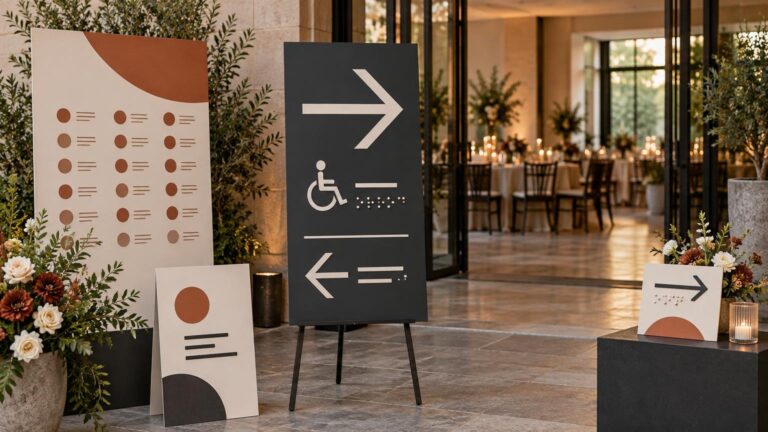
Consistency means preserving the tier logic, not copying one layout everywhere. A stage screen may use a sequence of sponsor slides, while a narrow directional sign may carry only the presenting sponsor. A printed program can accommodate a complete recognition page. The website may offer linked logos and longer acknowledgments.
Use the matrix to check what changes and what remains stable: tier order, sponsor naming, approved artwork, relative prominence and promised placements. Cornell, for example, recognizes sponsors across printed proceedings, signage, presentations and its website according to contribution level. For a broader framework covering deliverables across these touchpoints, use the sponsor recognition tiers and logo rules guide.
Readability still applies around the logos. Under WCAG 2.2, logotypes are exempt from the text contrast criterion, but accompanying sponsor names, URLs, tier headings and directions are not. The W3C contrast guidance sets minimum contrast ratios of 4.5:1 for normal text and 3:1 for large text at Level AA. Review those functional elements separately from the mark itself, and consult the broader accessible event signage and wayfinding basics when a sponsor panel also carries guest instructions.
Run one final recognition audit
Before releasing files, compare every asset against the latest sponsor matrix. This should be a dedicated pass rather than a quick glance during general proofreading.
- All sponsor names, tiers and artwork versions match the approved list.
- Every promised placement is present, and unpromised placements have not been added casually.
- Equal-tier sponsors receive comparable visual weight and position.
- Clear space and minimum reproduction sizes are respected.
- Monochrome and reversed marks are sponsor-approved files.
- Backdrop marks remain visible in realistic photo crops.
- Text near sponsor marks meets the required readability and contrast standard.
- Dates, URLs, QR codes and verbal acknowledgments have named owners.
- The sponsor approval date and final production file version are recorded.
Add this audit to the larger event proofing checklist, then lock the sponsor folder so outdated files cannot drift back into production. If printed pieces are being sourced across signs, programs and other formats, the same approved matrix can become part of the production brief for Printiverse.
The strongest sponsor wall does not make every logo equally loud. It makes the agreement visible: priority is clear, peers are treated fairly, and each mark has enough room to be recognized. Establish that logic early, carry it across every asset, and the sponsor system will support the event identity instead of swallowing it.
References
- Article – Recognizing Event Sponsors
- Sponsorship – Data Analytics Summit
- Sponsorship | CALS
- Sponsorship Opportunities | Spring Jam
- THE BRAND.
THE BRAND.
THE BRAND. |
— | —
BRA - THE BRAND.
THE BRAND.
THE BRAND. |
— | —
Bra - ESTELA Sponsorship Opportunities – ESTELA
- Sponsor Opportunities | NCER: National Conference on Ecosystem Restoration
- Trademark scope of protection | USPTO
- Understanding Success Criterion 1.4.3: Contrast (Minimum) | WAI | W3C