TLDR: In the digital RSVP vs reply card wedding decision, digital responses usually make tracking, meal selections, and follow-up easier. Printed cards provide a familiar offline experience and complete a traditional invitation suite. For a guest list with varied technology access or preferences, a digital-first system with a clearly offered phone, email, or mailed alternative is often the most practical choice.
The best method is not determined by etiquette alone. It depends on what you need to collect, how your guests are comfortable responding, and how much administration you want after the invitations go out. Choose the response system before designing the invitation so the wording, deadline, website, return envelope, and tracking process work as one system.
Digital RSVP vs reply card wedding comparison
| Decision factor | Digital RSVP | Printed reply card |
|---|---|---|
| Convenience | Guests can respond immediately from a phone or computer | Guests complete and return a physical card |
| Tracking | Responses enter a centralized system when the platform supports it | Someone must record each returned card |
| Meal and event questions | Well suited to conditional questions and individual selections | Best when the response can remain short and clear |
| Guest access | Requires internet access and a usable form | Requires handwriting, mailing, and access to a mailbox |
| Cost factors | May involve a website or platform fee | Adds printing, an envelope or postcard, and return postage |
| Stationery experience | Keeps the invitation suite lighter | Adds a tactile, traditional component |
| Accessibility | Depends on the quality and testing of the form | Depends on readable type, writing space, and a practical return method |
| Best fit | Complex schedules or detailed data collection | Simple responses or guests who strongly prefer mail |
Neither method automatically serves every guest. A beautifully designed reply card can still be difficult for someone with low vision or limited dexterity. A modern online form can still create barriers if it has vague labels, poor keyboard support, or confusing error messages. The goal is to reduce friction while obtaining accurate information by the deadline.
When a digital RSVP works best
Digital RSVPs are especially useful when the wedding involves more than a yes-or-no answer. A form can separate ceremony attendance from a welcome party or farewell brunch, collect meal choices for each invited person, request necessary dietary information, and confirm whether an offered plus-one will attend.
Some wedding platforms provide centralized response tracking and custom questions. The Knot, for example, states that its RSVP tools support response tracking and questions such as meal selections. Those features should be confirmed for the specific platform you plan to use rather than assumed to be universal.
A digital-first approach is a strong fit when:
- The wedding includes several events with different guest lists.
- The caterer needs an individual meal choice rather than one answer per household.
- You need exact names for escorts, place cards, security, transportation, or lodging lists.
- Plans may change and you need a direct way to update guests.
- You want to sort missing responses without comparing returned cards against a separate spreadsheet.
Form design matters. Ask only for information you will use, and reveal follow-up questions when they become relevant. A guest who declines does not need to navigate meal selections. A guest without a plus-one should not see a field asking for another attendee’s name. This keeps the form shorter and reduces ambiguous answers.
Do not make a QR code the only route
A QR code can make a printed invitation feel connected to the digital workflow, but it should be a shortcut rather than the sole instruction. Print a readable website address beside it. Guests may be viewing the invitation on the same phone they would use to scan, may not know how to use a code, or may need to enter the address on a different device.
Use a short, recognizable URL and test the code from a physical proof at its final printed size. Check it with multiple phones, under ordinary indoor lighting, and from the intended distance. Keep strong contrast around the code and avoid placing it across a fold, heavily textured stock, reflective foil, or a busy illustration.
When a printed reply card works best
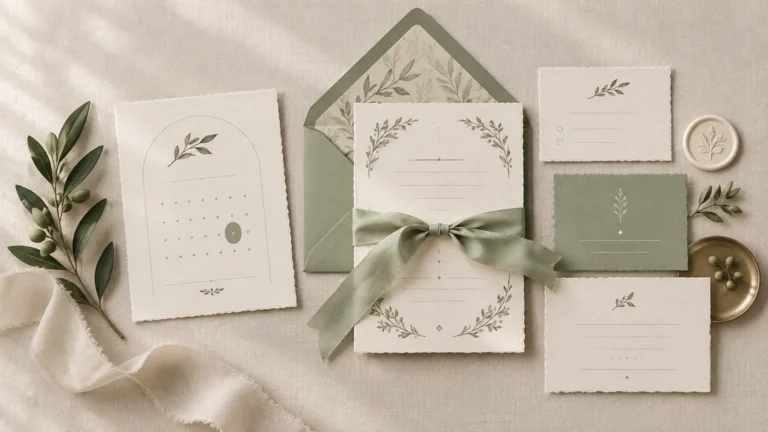
A printed reply card can be the better choice when the response is simple and the physical stationery experience is a priority. It gives guests an offline path and can carry the same typography, paper, color, and finishing details as the invitation.
Mail works particularly well when most households only need to confirm attendance, identify the responding guests, and make one uncomplicated selection. Once the card has several event checkboxes, multiple meal lines, dietary fields, and plus-one instructions, the small format can become crowded. At that point, a larger card or digital form will usually be easier to understand.
Design the card for completion, not merely for appearance. Use readable type, leave enough room for names, provide clear selection marks, and print the response deadline prominently. Avoid pale ink and long decorative lines that leave guests unsure where to write.
If you are building a traditional suite, coordinate the card, return envelope, and other pieces with the main invitation rather than treating them as separate designs. A specialist offering printed wedding invitations and coordinated stationery can be a practical production route when you need the pieces to share paper, color, and print treatment.
Postage and production costs can change the decision
A mailed response method adds more than the price of the card. Budget for the reply piece, its return envelope if used, return postage, assembly time, and the effect of every component on the outgoing invitation’s weight and thickness. Providing return postage removes an unnecessary task for the guest and makes the card ready to send.
USPS Notice 123 effective January 18, 2026 lists $0.78 for a stamped, single-piece First-Class Mail letter weighing up to one ounce. It also lists a $0.49 nonmachinable surcharge for qualifying letters. Rates change, so check the current USPS Notice 123 before buying postage.
The assembled invitation—not the reply card in isolation—determines outgoing postage and mailability. USPS identifies characteristics such as square proportions, rigidity, lumps, clasps, strings, buttons, and unusual shapes as possible reasons a letter may be nonmachinable. USPS also cautions that ornate address fonts and glossy envelope stock can interfere with address readability.
Take one fully assembled suite to a postal counter before purchasing all your stamps. Include the invitation, envelopes, reply materials, inserts, belly band, ribbon, wax seal, and any other element guests will receive. This is also the right stage to compare your final format against guidance on wedding invitation paper, size, and finish.
A hybrid RSVP is often the most inclusive option
Hybrid does not have to mean placing both a stamped reply card and an online response request in every envelope. That can produce duplicate submissions and leave guests unsure which method you prefer.
Instead, establish one primary system and one fallback. For example, direct most guests to an online form, then include reply cards for selected households or state that guests may call or email if the website is not convenient. Record every offline response in the same master guest list used for digital submissions.
Choose the fallback according to actual guest needs rather than age. Some older guests are comfortable online, while younger guests can also have accessibility, connectivity, or privacy concerns. Review the list household by household and consider internet access, language, disability, international location, and familiarity with the chosen method.
A simple hybrid workflow is:
- Select the digital form or master tracking document before finalizing the invitation.
- Identify households that may need a mailed card, phone number, email address, or personal follow-up.
- Give every method the same response deadline.
- Enter mailed, emailed, and phoned responses into the master list as they arrive.
- Review missing and incomplete answers before sending reminders.
- Confirm final attendance and meal details against the caterer’s required format.
Make an online wedding RSVP accessible
An accessible form needs more than large text. W3C guidance covers explicit labels and instructions, keyboard-operable controls, identification of errors, text alternatives for non-text content, and clear feedback after a form is submitted. It also recommends keeping forms simple and requesting only necessary information. Review the Web Content Accessibility Guidelines when evaluating a form or asking a designer to build one.
Use this practical review before publishing:
- Place a visible text label beside every field; do not rely on placeholder text alone.
- Make attendance options explicit, such as “Will attend” and “Will not attend.”
- Ensure guests can move through fields and activate controls with a keyboard.
- Write error messages that identify the problem and explain how to correct it.
- Show a clear confirmation message after submission and, if practical, email a response summary.
- Keep essential instructions in text rather than embedding them only in an image.
- Use good color contrast and comfortable type sizes.
- Provide a readable URL as well as a QR code.
- Offer a phone, email, or mailed alternative for guests who cannot use the form.
Test the full process as a guest, not just as the form owner. Submit an acceptance, a decline, a household with multiple meal selections, and an intentionally incomplete response. Check the experience on a phone and with keyboard-only navigation. Practical testing is necessary because naming an accessibility standard does not make a particular form accessible.
Wedding RSVP wording examples
Digital-only wording
Please respond by September 5 at ourwedding.com/rsvp. Enter your name to view the events included with your invitation and submit your meal selection.
Mailed reply-card wording
Kindly reply by September 5. Please write the names of attending guests and select one entrée for each person. Return this card in the enclosed stamped envelope.
Hybrid wording
Please respond by September 5 at ourwedding.com/rsvp. If responding online is not convenient, call or email us using the contact information below.
Keep the deadline consistent across the invitation, website, reply card, and reminders. Build the response date backward from the venue and caterer deadlines, leaving time to pursue missing answers and correct meal selections. The RSVP date should also fit into your broader wedding invitation and reminder timeline.
A final decision checklist
Choose digital-first if detailed information, centralized tracking, and quick follow-up matter most. Choose printed cards if the response is simple, your guests benefit from an offline route, or the tactile stationery experience is central to the design. Choose hybrid when one method would create avoidable barriers for part of the guest list.
- What information must be collected for each individual guest?
- Are multiple events included, and does attendance vary by event?
- Can the chosen form manage named guests and plus-ones clearly?
- Which households may need a non-digital response option?
- Does the stationery budget include reply-card printing and return postage?
- Has a completed invitation suite been checked for weight and mailability?
- Are the URL, QR code, labels, errors, and confirmation easy to use?
- Who will maintain the master list and follow up after the deadline?
Choose the workflow before designing the card
The strongest RSVP system is the one guests can complete and you can manage accurately. For many weddings, that means a concise digital form supported by a clearly stated offline alternative. If printed reply cards are important to the invitation experience, keep them spacious, simple, prepaid, and easy to record.
Finalize your required questions, fallback method, and response deadline first. Then design the invitation wording and reply materials around that workflow. This order prevents an elegant stationery choice from creating weeks of unnecessary guest-list cleanup.